
Automotive Locksmith
Key Fob Works Sometimes? When Key Fob Programming May Help
An unreliable key fob may point to a weak battery, damage, signal trouble, or lost pairing. Use these checks before arranging key fob programming.
Mobile Locksmith installs Commercial Access control systems In Houston for offices warehouses and retail with fast service smart tech and 24 7 support
Commercial access control systems in Houston let businesses manage who enters specific doors and when. Mobile Locksmith helps Houston, TX, businesses plan and install controlled entry using compatible locks, readers, credentials, and door hardware. We focus on practical access rules, dependable door operation, and clear instructions for daily use.
An access control system checks a person’s credential before allowing entry through a secured door. Credentials may include a card, key fob, mobile credential, or personal code, depending on the equipment.
Instead of giving every employee the same access, you can assign permissions by person, door, and schedule. A warehouse employee may need the loading entrance but not the office records room. A cleaning crew may need evening access without permission to enter every space.
Commercial access control systems also help reduce reliance on copied keys. When someone leaves the business, an authorized administrator can remove their credential from the system. That is much simpler than wondering how many keys are still out there.
Who currently has access to your building? If answering requires several phone calls and a desk drawer search, a clearer system may help.
Repeated access problems often point to a need for better hardware, clearer permissions, or both. Adding another lock does not always solve the underlying problem.

Your business may benefit from a commercial locksmith access review if these situations sound familiar.
A working system should fit how people actually use the property. If entry takes too long or feels confusing, people may find shortcuts. We look at those habits before recommending equipment, because a doorstop should not become your unofficial access manager.
The right access setup depends on your doors, users, schedules, and daily traffic. A small office with a single employee entrance has different needs from a warehouse with multiple shifts.
For offices, priorities often include employee entry, private work areas, and visitor control. Retail properties may need separate permissions for sales staff, managers, and stockroom workers. Warehouses may need controlled pedestrian doors near shipping areas without slowing deliveries.
In Houston, Texas, properties also vary widely in construction and age. Glass storefront doors, metal service doors, and shared commercial entrances require different hardware choices.
We review the property before settling on a system type. Existing locks, door frames, wiring routes, and network access can all affect the installation plan. Starting with the building helps avoid choosing equipment that does not suit the door.
Credentials should be easy for authorized users to carry and simple for managers to remove. The best choice depends on staff routines and the system’s supported features.
Key fobs and access cards give each employee a separate credential. Individual codes can work for some properties, but shared codes make it harder to identify users. Mobile credentials may be useful where compatible phones and equipment are appropriate.
Consider these points before selecting an entry method.
Not every system supports every credential type. We help you compare practical options without assuming your business needs every feature on the shelf.
Access permissions determine which doors each person can use and during which hours. Clear rules reduce unnecessary access without blocking people from doing their jobs.
Start by grouping users around actual responsibilities. Office staff, warehouse crews, supervisors, vendors, and cleaning teams may each need different permissions. Avoid giving unrestricted access simply because it is quicker during setup.
Schedules can help separate regular work hours from after-hours entry. Some systems also support temporary access with an expiration date, which can be useful for short visits or contracted work.
Who should approve an after-hours access request? Decide that before the first late-night call. We can help organize the initial rules, while your business remains responsible for approving users and maintaining current permissions.
An electronic access system needs a door that closes, aligns, and latches correctly. A reader cannot fix a sagging hinge or a latch that misses its opening.
During planning, we check the condition of the door, frame, closer, hinges, and locking hardware. We also consider how people approach the entrance and whether carts or deliveries affect normal closing.
Common physical problems include the following.
Existing hardware may be reusable if it is compatible and in suitable condition. When hardware changes are needed, we explain how they support controlled entry and routine door use.
Controlled entry must not prevent occupants from leaving through a required exit. Lock selection must account for the door’s use, existing exit hardware, and applicable building and fire requirements.
Electric strikes, electrified locks, and magnetic locks operate differently. They are not interchangeable choices for every opening. The correct approach depends on the door assembly, release functions, power behavior, and any required connections.
Some projects need review or coordination with property management, other trades, or the appropriate authority. We identify those needs during planning rather than treating every entrance like a standard office door.
Do not add an extra lock to an exit because an existing system is frustrating. If occupants cannot leave normally, stop using that setup and address the safety issue promptly. Keep exit routes clear throughout any installation work.
Our installation process begins with reviewing your access needs and the condition of each proposed door. We then explain the work needed to connect the entry hardware and establish usable access rules.
A typical project follows a sequence of planning, installation, testing, and instruction.
The scope varies by property.
We discuss any dependencies before work proceeds so you know what needs coordination.
A little preparation helps us assess the property and keep installation work organized. You do not need every technical answer, but clear business requirements are useful.
Before the visit, work through this checklist.
For commercial access control systems in Houston, coordination can matter as much as the equipment choice. A shared lobby, restricted wiring space, or landlord approval can affect the project sequence. Early communication helps keep those issues from becoming surprises.
Installation time depends on the number of doors and the work each opening requires. A compatible door with usable wiring usually involves fewer steps than a new opening that needs hardware changes.
Conditions that can extend the work include difficult cable routes, damaged frames, missing power connections, or limited access to equipment rooms. Network coordination and building approvals can also affect the schedule.
We review timing after learning the scope and site conditions. If your business must remain open, we can discuss a work sequence around customer traffic and essential entrances.
Testing should remain part of the plan, not an afterthought. A reader lighting up does not prove the entire opening works correctly. Door closing, credential rules, release functions, and power-related behavior all need attention.
An access system’s behavior during an interruption depends on its hardware and configuration. Some systems can continue checking stored permissions without a live internet connection, while others depend more heavily on connected services.
Power loss creates a separate concern. Lock behavior, backup power, and exit operation must be considered together rather than guessed from a product label.
During planning, ask these questions.
Houston storms make these questions worth discussing before installation. No setup removes every possible interruption, but clear procedures can reduce confusion when conditions change.
Visitor access works best when someone is responsible for approving entry and confirming the visit. A controlled door loses much of its value if anyone can follow an employee inside.
Depending on system compatibility, visitor handling may use temporary credentials, intercom communication, or staff-controlled release. Each approach should match the entrance and the amount of traffic it receives.
For delivery areas, separate vehicle activity from pedestrian access wherever the property allows. Staff should have a clear method for receiving shipments without leaving employee entrances open for long periods.
Does your current delivery routine depend on a wedged-open door? That is a workflow issue worth solving during planning. We help you consider the entry hardware, while your business sets the procedures for checking visitors and supervising access.
Access records can help authorized managers review credential activity when the selected system supports event logging. They can show useful events, but they do not prove everything that happened at a doorway.
A valid credential event does not confirm that only its assigned user entered. Someone may hold the door for another person, and a shared code may be used by several people. Door-position monitoring, where supported, can provide added information about an opening’s status.
Limit administrative access to people who need it. Set clear internal rules for reviewing records, retaining information, and sharing reports.
We explain the functions included in the selected setup without treating them as substitutes for supervision. Good records support daily management, but staff procedures still matter.
An access problem may come from the credential, schedule, reader, power supply, or physical door. Checking the symptoms helps narrow the issue before equipment is replaced.
If a credential stops working, confirm whether other authorized users can enter. Check whether that user’s permissions or schedule recently changed. Report a lost credential promptly so an administrator can remove it.
If the reader accepts a credential but the door stays locked, avoid forcing the door. Binding hardware, misalignment, or an electrical fault may need inspection. Repeated pulling can damage parts without fixing the cause.
Call for help if the door will not secure, overheats near electrical components, or prevents normal exit. Do not bypass wiring or defeat required safety hardware. Give Mobile Locksmith a clear description of what changed and which doors are affected.
Routine checks help keep access permissions accurate and doors operating properly. A system can become less useful if former employees remain active or hardware problems go unreported.
Build these tasks into your business routine.
Avoid spraying household cleaners into readers or electronic locks. Use cleaning methods approved for the installed equipment. If the system includes batteries or backup power, follow its inspection and replacement instructions.
Mobile Locksmith helps Houston businesses connect door hardware decisions with practical access needs. We discuss the entrances, the people using them, and the rules needed to manage entry.
You may need a single controlled employee door or a plan for several restricted areas. Either way, useful recommendations begin with the property rather than a list of features.
To discuss commercial access control systems in Houston, call (281) 528-1703 or visit our contact page. Tell us your property type, the doors involved, and the access problems you want to solve. We can discuss the next steps for your Houston, TX, business.
It is a system that manages entry to designated areas of a business property.
Yes, Mobile Locksmith provides commercial access control services for businesses.
Offices, retail locations, warehouses, and other commercial properties commonly use access control systems.
Employees typically use an authorized credential, such as a card, code, or mobile device, depending on the system.
Many systems support different access permissions for designated areas within a property.
Access permissions can generally be updated or removed, depending on the system and administrative settings.
Compatibility depends on the doors, existing hardware, and the requirements of the selected system.
Some systems offer ways to manage visitor entry, depending on the setup and business policies.
Maintenance needs vary by system, equipment, and usage. Periodic attention may help address wear or operational issues.
General considerations include entry points, staff access needs, administrative preferences, and compatibility with the property.
An unreliable key fob may point to a weak battery, damage, signal trouble, or lost pairing. Use these checks before arranging key fob programming.
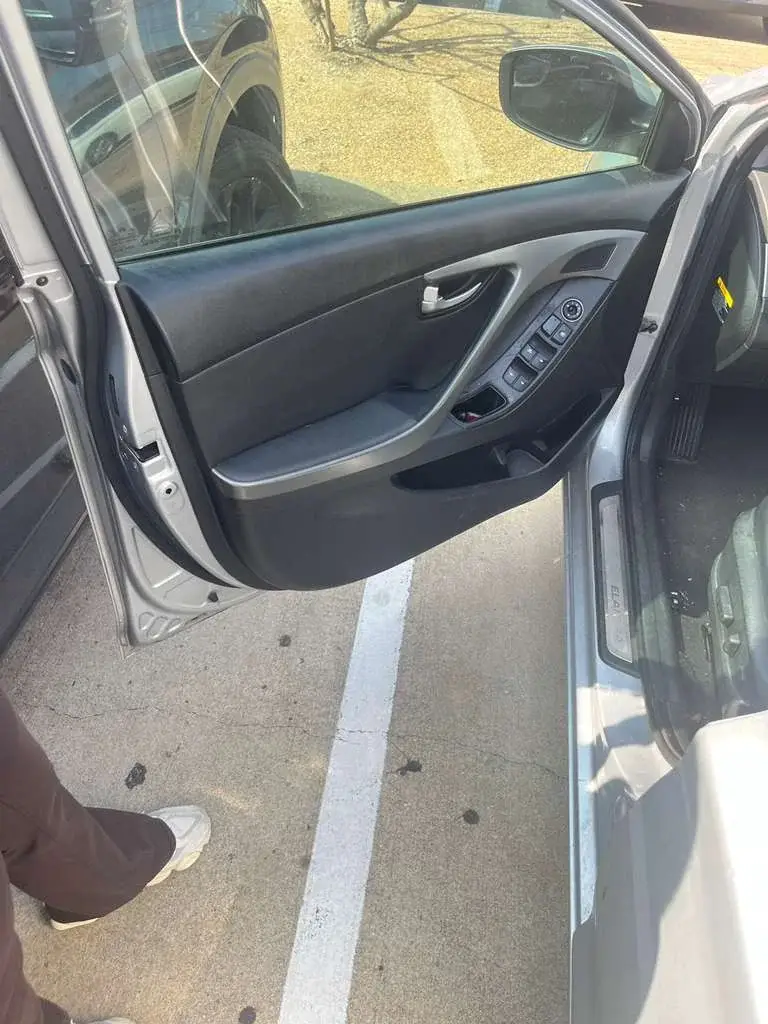
A broken key fragment can get pushed deeper or damage the lock. Stop turning and avoid glue, magnets, prying tools, and spare keys. Secure the car and arrange key extraction help.

Lost your only car key? A mobile locksmith may be able to make and program a replacement once they confirm your vehicle details and authorization.